Free delivery in Thailand on orders over ฿1,200 · Made local, delivered with care
Ruedee.com
⌕ ♙
Painaimana - Travel & Event

Painaimana - Travel & Event

iPhone app by Ruedee

Where have you been?
Now you can answer.

Painaimana - Travel & Event is a travel log that keeps every trip, every day away and every baht in one place, then turns years of entries into a world map, a country list and charts you can actually read. Nothing ever leaves your iPhone.

Coming soon to theApp Store See what it does

Free. No account, no sign-in, no ads, no tracking.

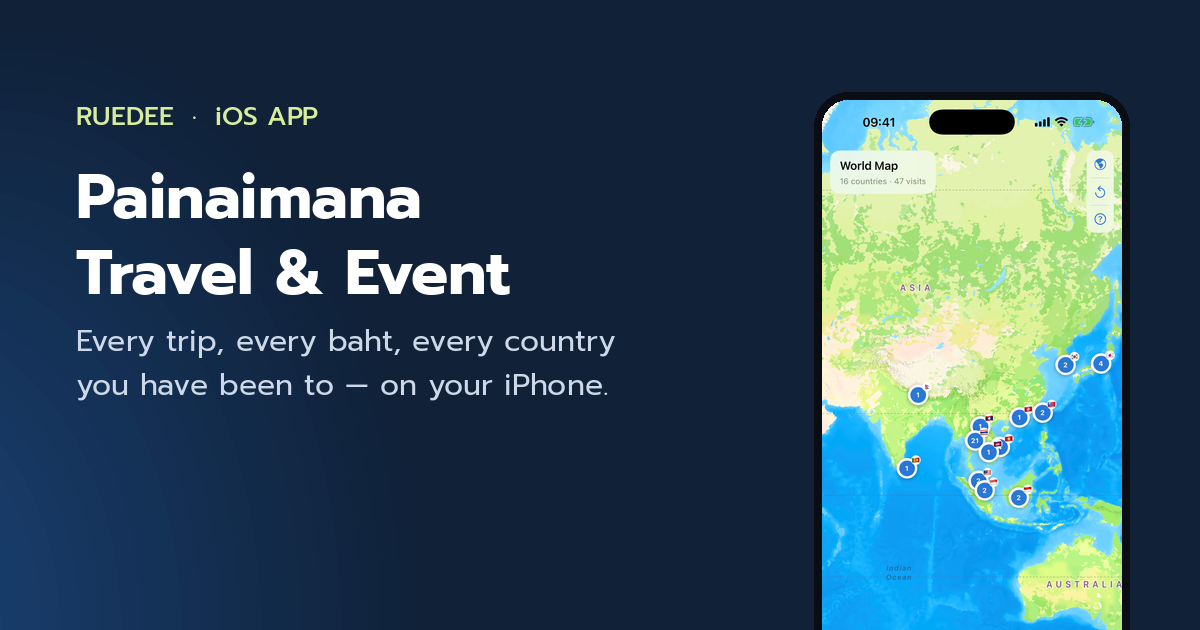
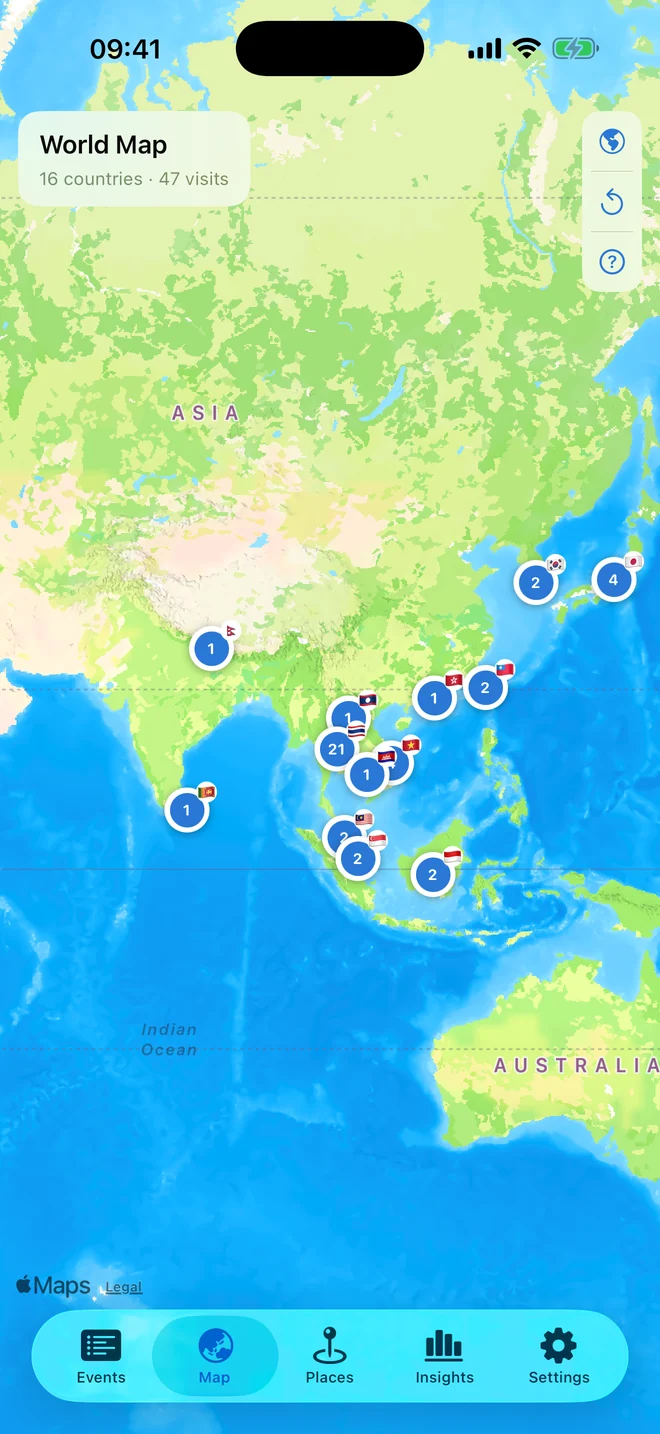
The world map with one numbered pin per visited country across South and East Asia.
  • No account or sign-in
  • Works fully offline
  • 12 currencies, your pick
  • Free, with no ads
The point

Four questions your photo roll can’t answer

How many countries. How many times you have been back. How long you usually stay. What it cost. Log a trip once and the app works all four out for you, for every year you keep going.

  • ×4 visitstimes you have been to a country, and the year you first went
  • ~9.8 daysyour average stay there, per visit
  • 39 daystotal time on the ground, all trips added up
  • Total spentper trip, per country, per year — in your own currency
What it does

Five screens, no clutter

Not a hundred half-finished features — the handful you actually use, built so a twenty-year log still opens instantly.

1

One log for trips, days out and everything in between

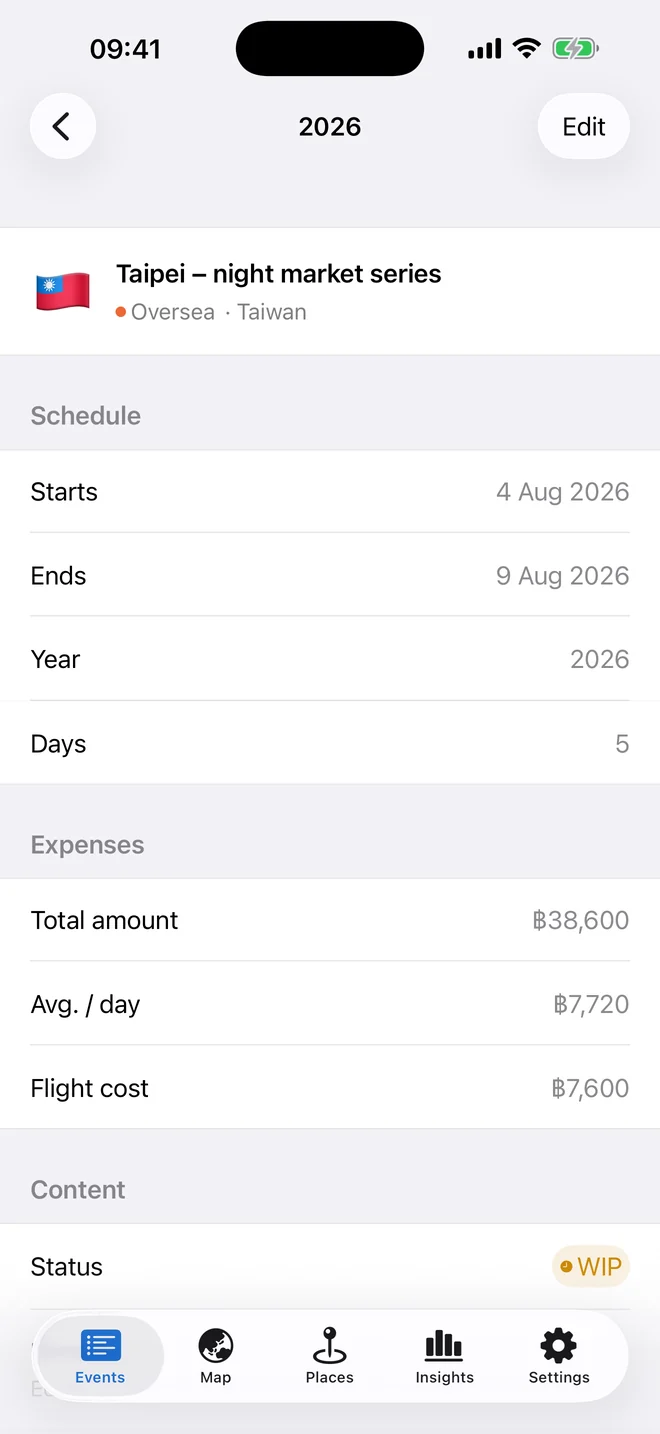
A trip abroad, a weekend up north, a day shoot in town, a piece of gear bought for the next trip — they all go in the same log, sorted by year with the year’s total in the header.

  • A title, start and end dates, country, total amount and flight cost on every entry
  • Your own categories — Thailand, Oversea, Hangout, HOME, or whatever you rename them to
  • The day count — and the average per day — worked out from the dates for you
  • Search titles, places and years; filter by Domestic or Oversea, category or tag
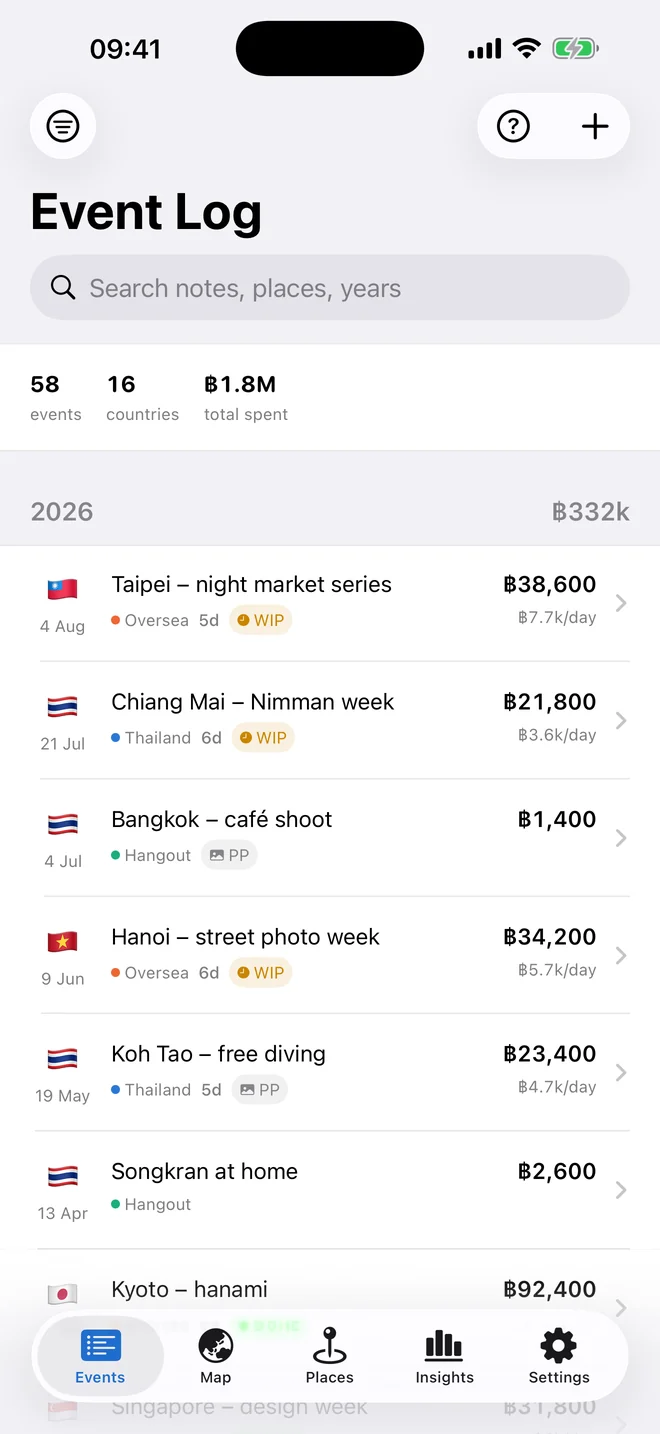
The Event Log with 58 events, 16 countries and the total spent, above a list of 2026 trips grouped under the year.
2

A world map that counts, not just pins

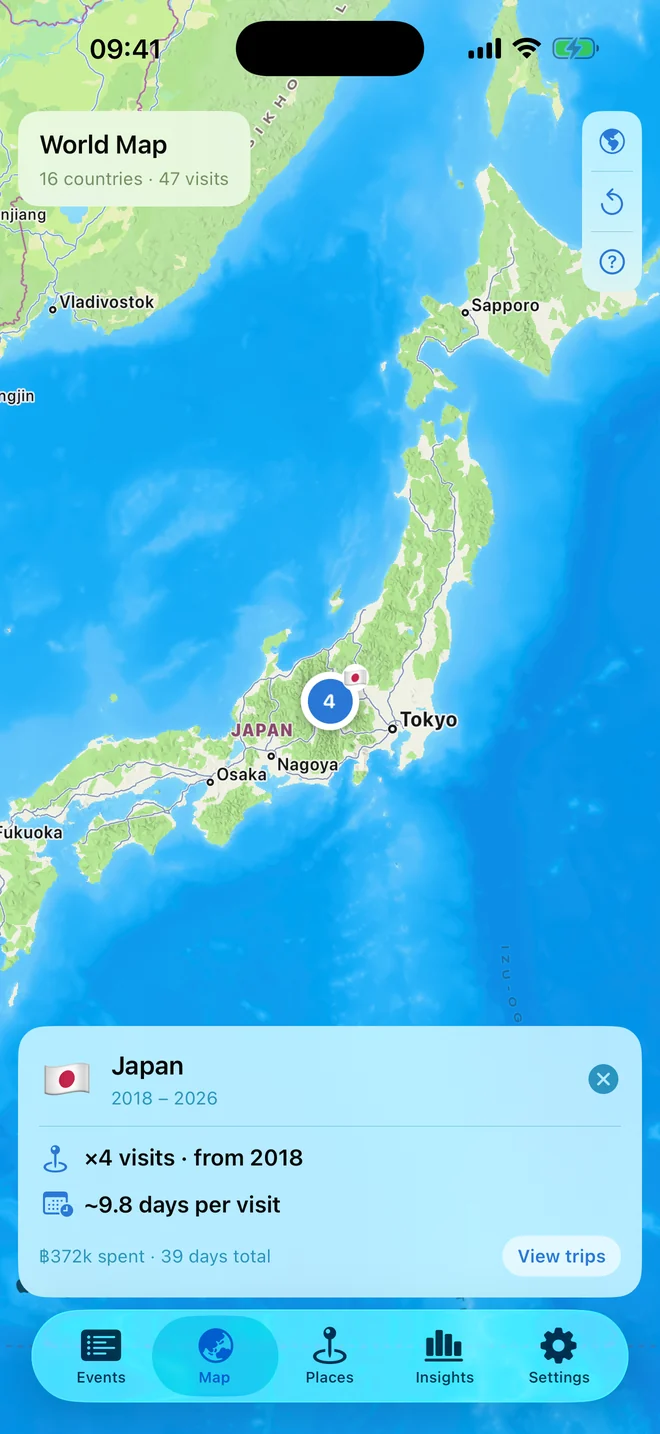
Every country you have logged gets one pin carrying the number of visits. Tap it and the card tells you how many times you have been, since which year, and how long you typically stay.

  • ×4 visits · from 2018 and ~9.8 days per visit, straight on the card
  • Total spent and total days in that country underneath
  • Switch between satellite and standard, or spin back out to the globe
  • View trips opens every entry logged there, newest first
The map zoomed to Japan with a card reading four visits from 2018 and about 9.8 days per visit.
3

Every country you have ever been to, in one list

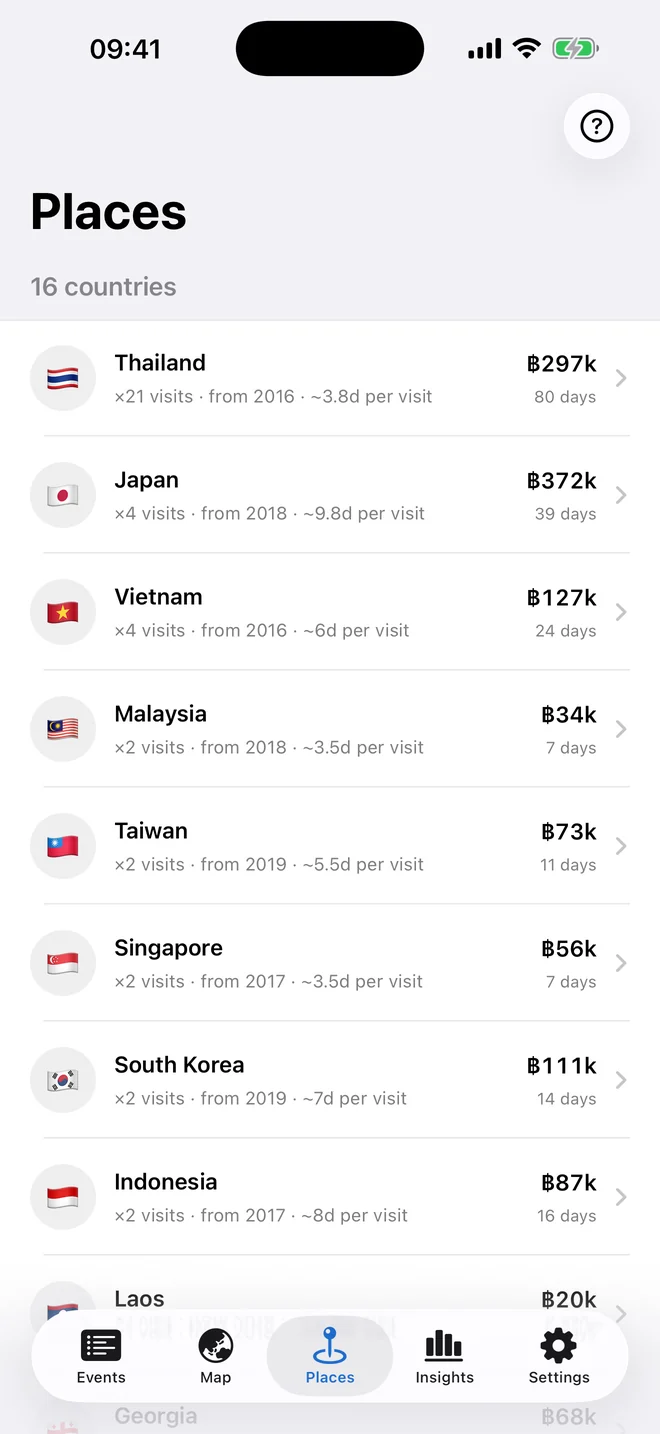
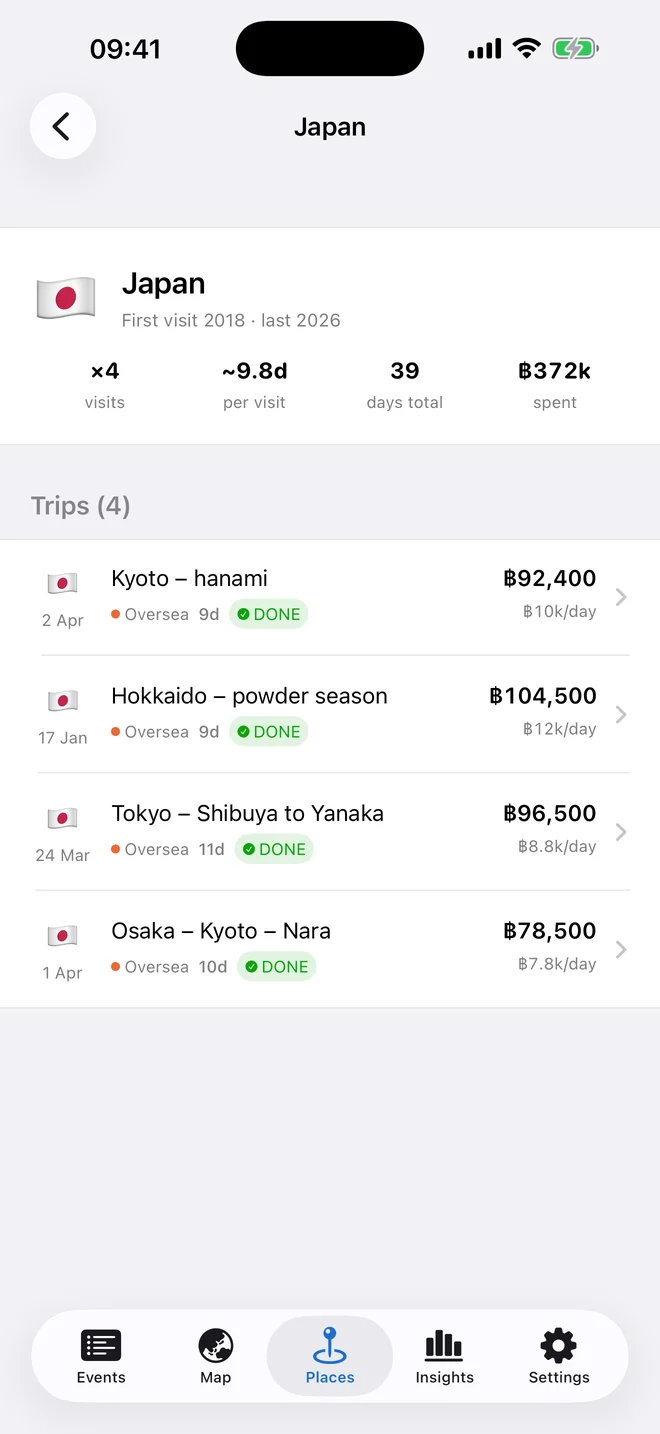
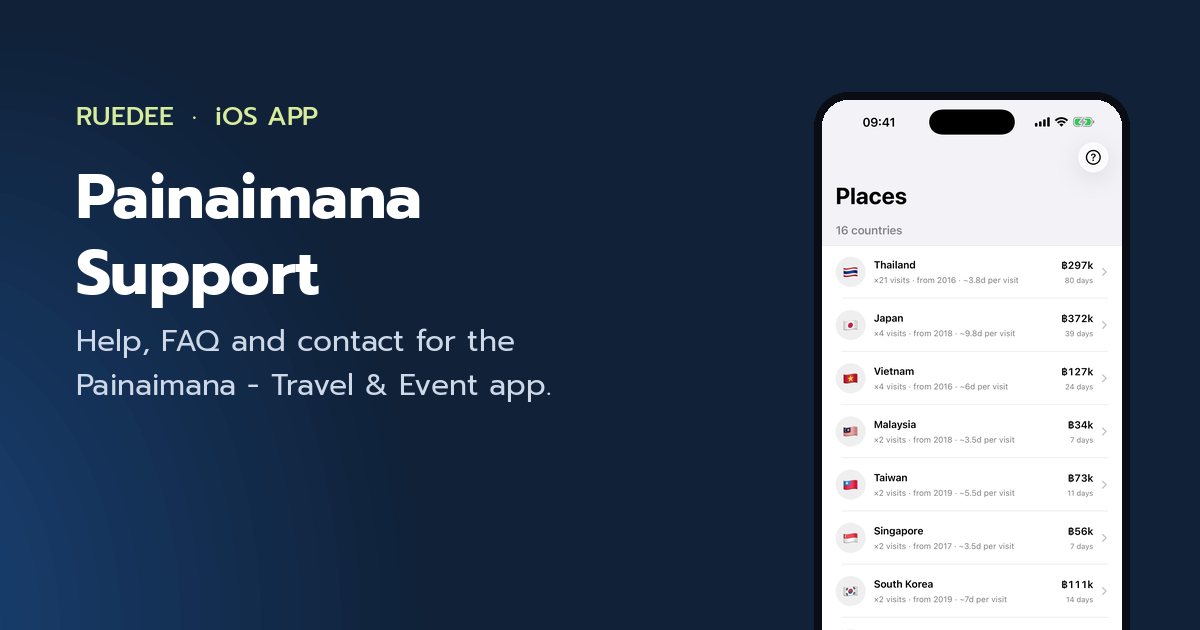
Places is the map as a table: each country with its visit count, its average stay, the days it has taken and what it has cost — and a drill-down to the trips behind the numbers.

  • Flag, visits, first year and average days per visit at a glance
  • Spend and total days on the right of every row
  • Tap through for first and last visit, four headline stats and the full trip list
  • 244 countries built in, and anything you type that isn’t one is kept as your own place
The Places list showing Thailand, Vietnam, Japan and more with visits, days and spend for each.
4

Years of travel, read in one screen

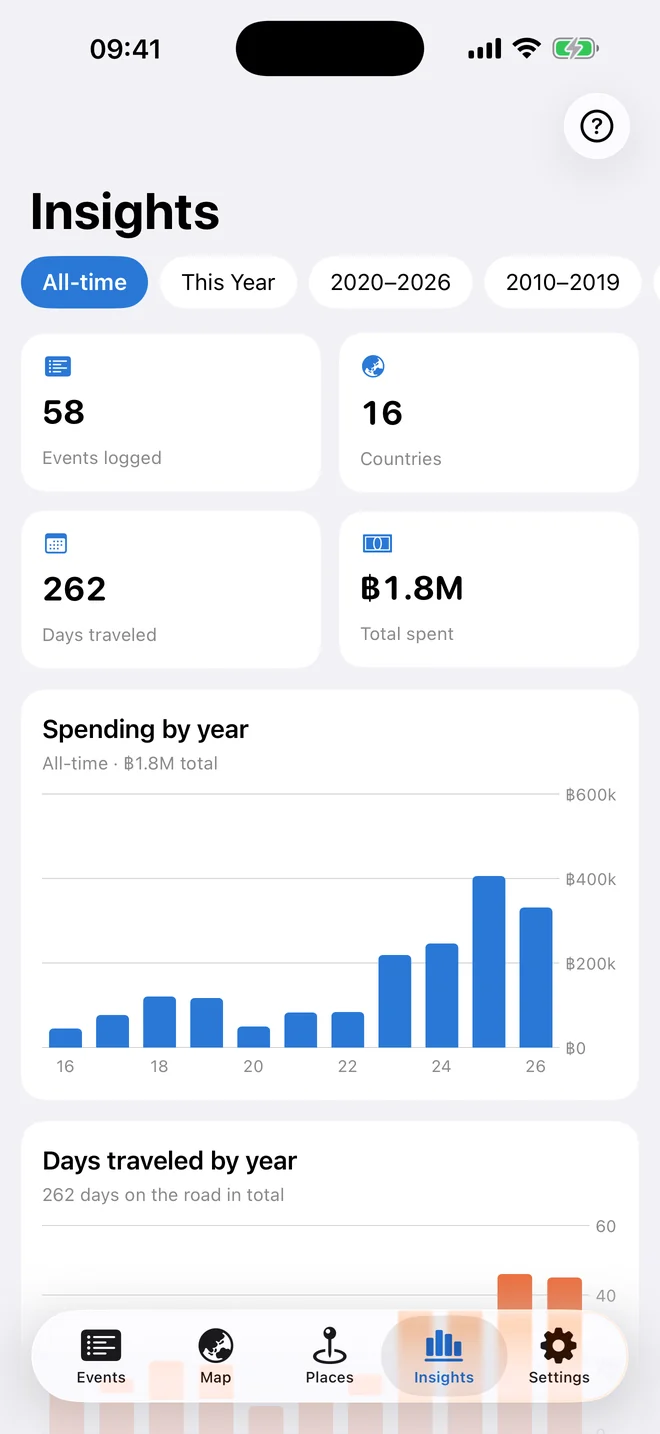
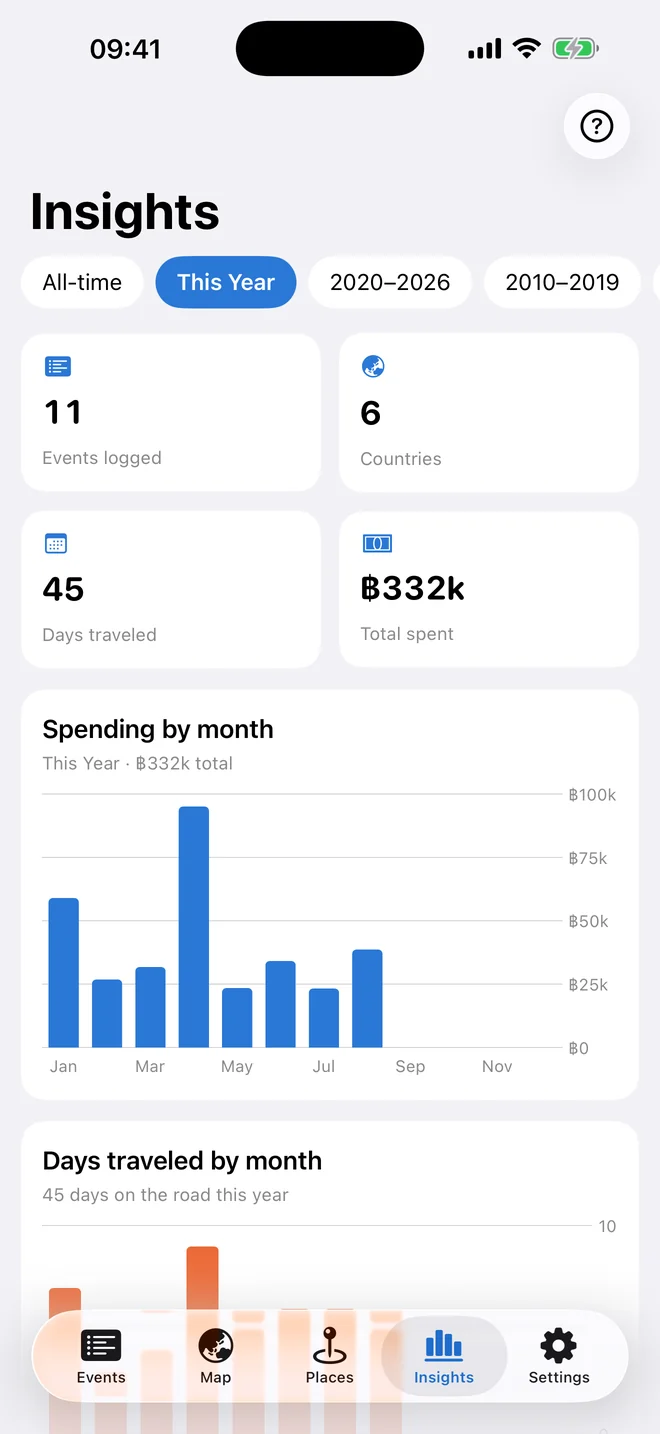
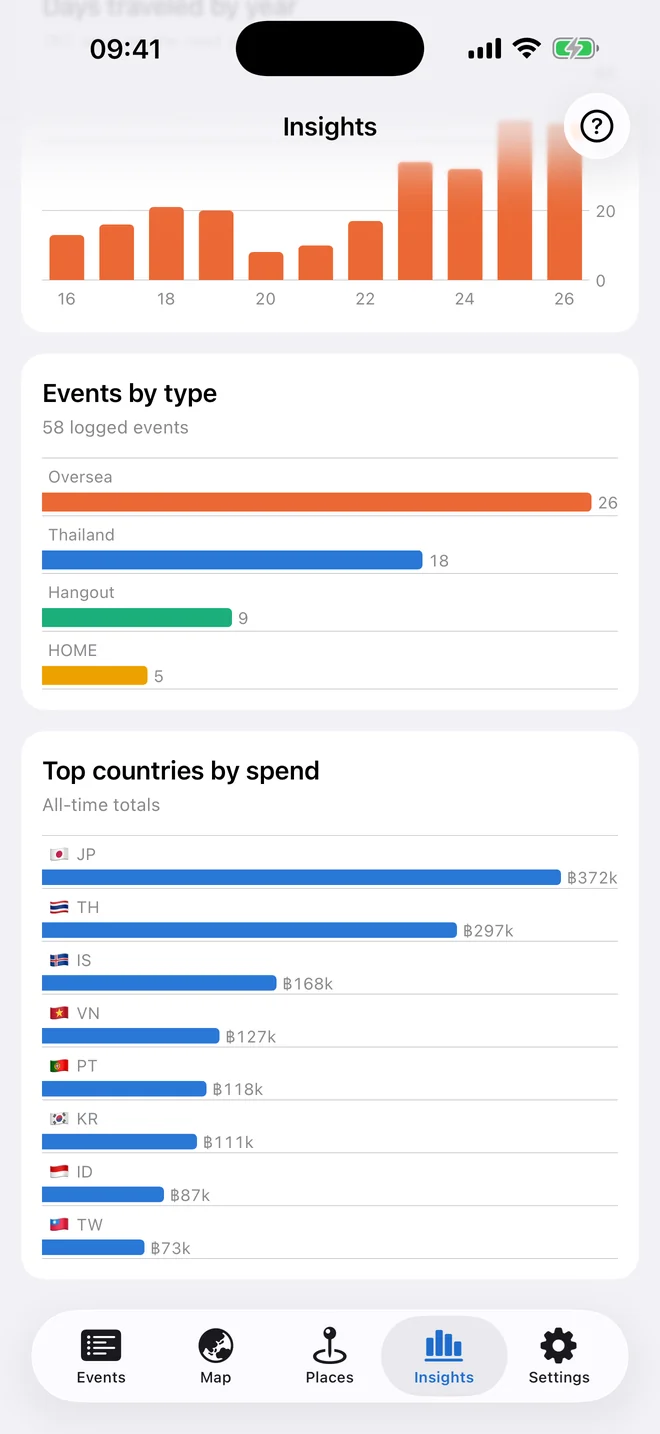
Insights totals your events, countries, days and spend, then charts them by year — or by month once you narrow to a single year. Tap a bar to read the exact figure.

  • Range chips: All-time, This Year, and a chip per decade
  • Pick any single year inside a decade and every card follows
  • Spending and days traveled, plotted side by side
  • Events by category, and your top countries ranked by spend
The Insights tab with 58 events, 16 countries, 262 days and the total spent above a spending-by-year bar chart.
5

Your log, in a file you own

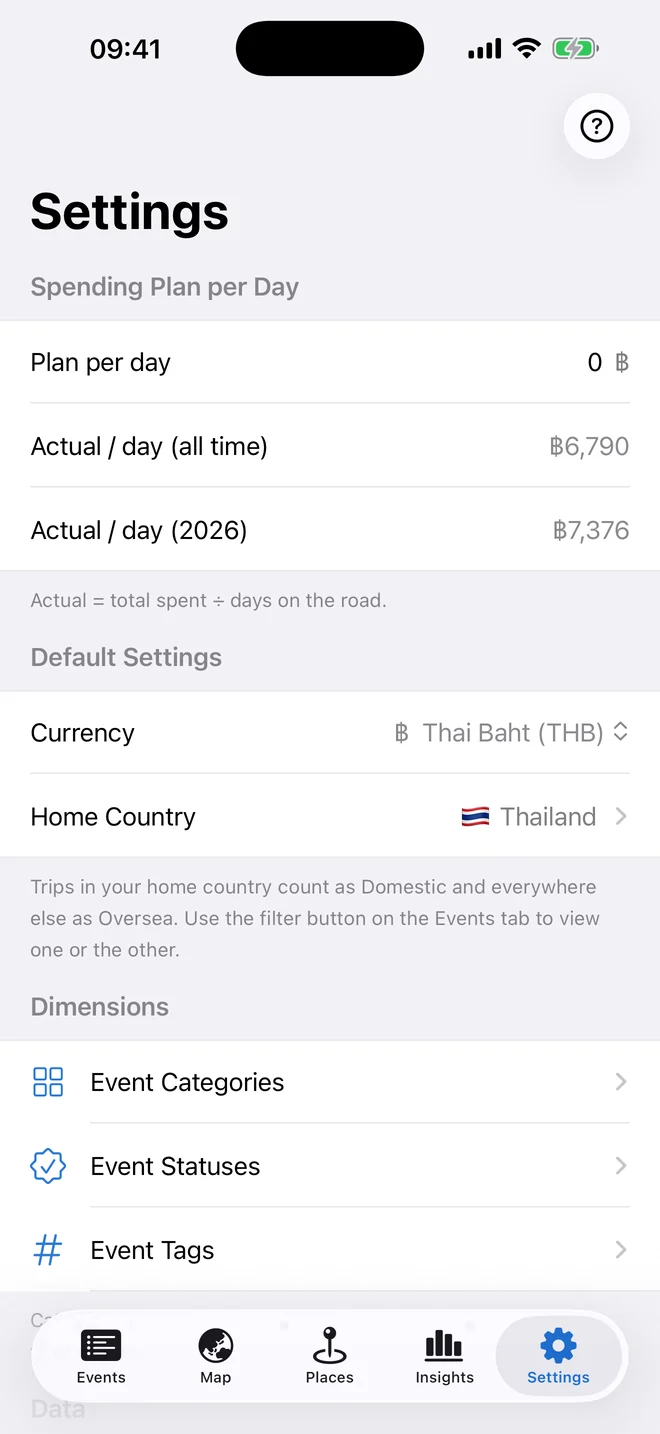
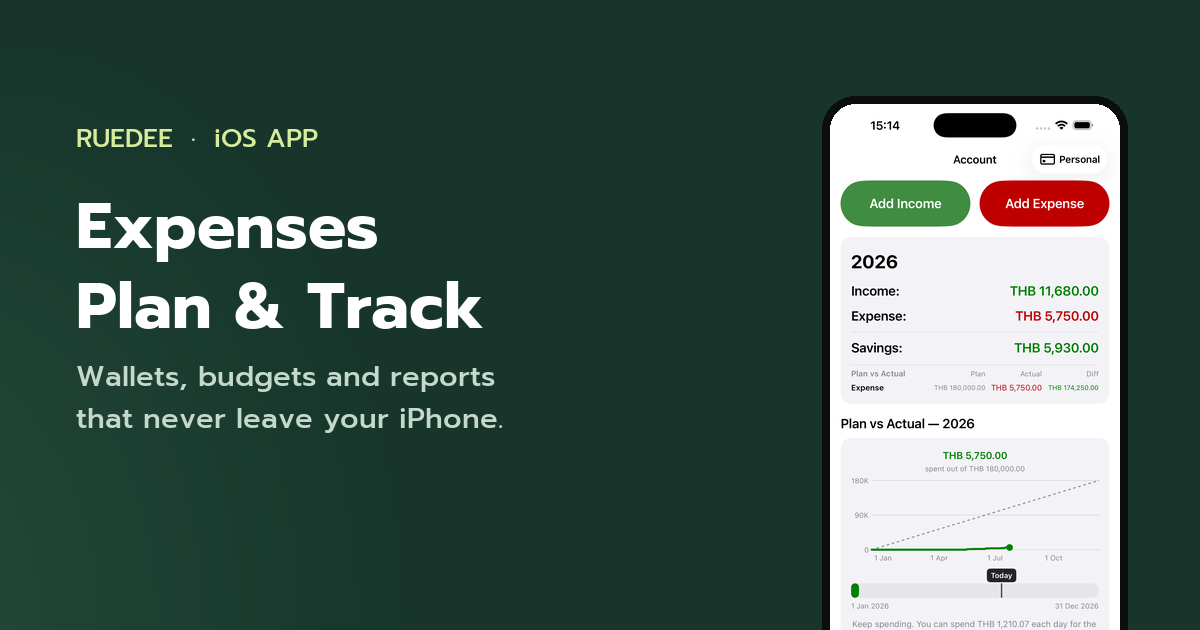
Set a daily spending plan and see how your real travel days compare. Then take the whole thing out as CSV whenever you like — the columns match a plain spreadsheet, so it opens in Excel and comes back in unchanged.

  • Plan per day against your actual, all-time and for this year
  • Export CSV and Import CSV — add to the log or replace it, your choice
  • Twelve currencies, and a home country that splits your log into Domestic and Oversea
  • Per-event export: the details as .txt, the photos and videos as .zip
The Settings screen with the daily spending plan, the actual per day, the currency picker and the dimension editors.
A look around

Every screen

Also in the app

The small things you would miss

Photos and videos per event

Attach what you shot to the trip it belongs to. Files are stored on your device, in a folder named after the event’s date.

Tags and statuses you control

Tag entries any way you like, and track a content status — WIP, PP, DONE — if your trips turn into work.

Flight cost kept separate

Log the flight apart from the trip total, so the cost of getting there never distorts your daily average.

Search that reaches everything

Titles, remarks, categories, tags, country names and years — one field finds the trip you half remember.

Home country, built in

Say where you live and every entry sorts itself into Domestic or Oversea. It reads the country on the entry, so renaming a category never breaks it.

Starts from a spreadsheet

Already keep a travel sheet? Export it to CSV, import it once, and the whole history is on the map.

Nothing phones home

No analytics, no advertising, no third-party SDKs. The app has no idea who you are, and that is the point.

Questions

Before you download

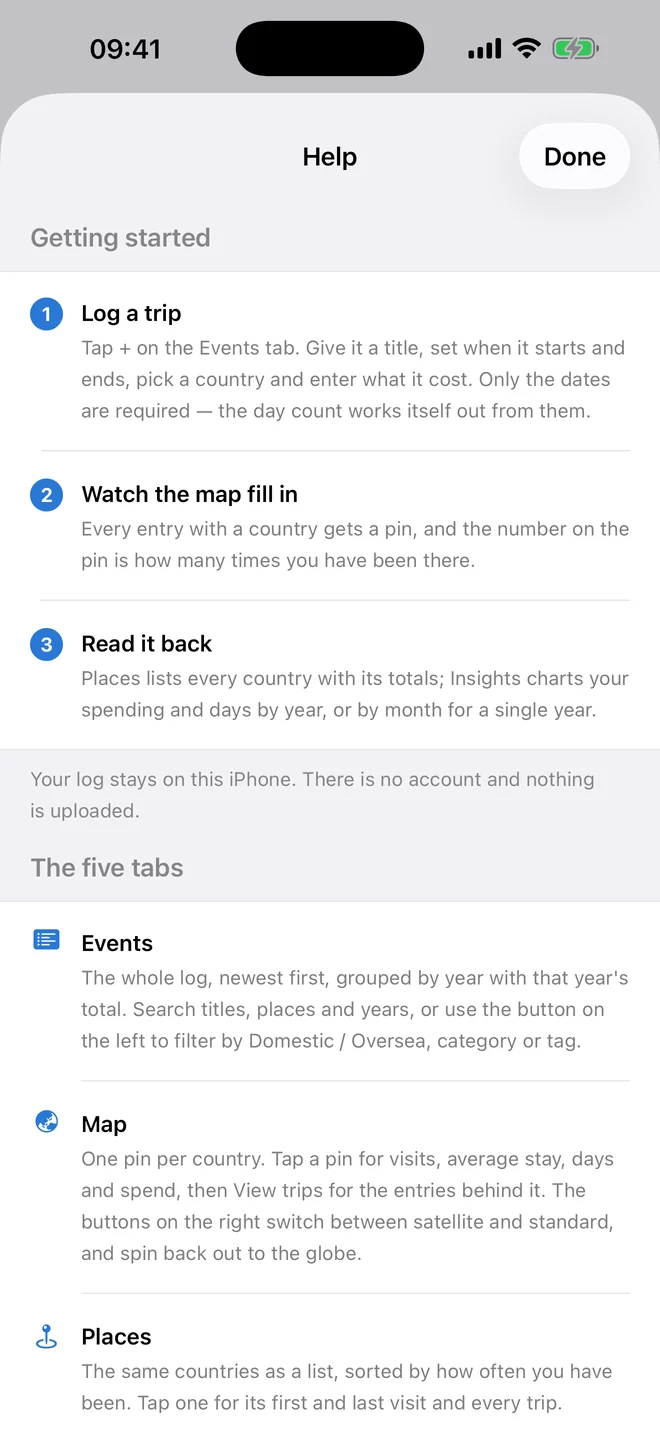
More detail — including backup and import — on the support page.

Where is my data stored?

Only on your device. The app works completely offline — there is no account, no sign-in, and nothing is sent to any server.

What counts as a visit?

Any entry with at least one day on it. The count comes from the start and end dates, so an entry that begins and ends on the same day is 0 days — a day out, a purchase, a note for later. Those still live in the log and still count towards your spending, but they do not inflate your visit counts.

How do I back it up?

Open Settings → Export CSV to save every event to a CSV file. You can bring that file back in at any time with Import CSV, either adding to the log or replacing it.

What does it cost?

Nothing. There are no ads, no subscription and no in-app purchases.

If I delete the app, is my data deleted too?

Yes. Because everything is stored on your device, deleting the app deletes its data. Export a CSV backup first if you want to keep it.

Start with the last trip you took

One entry — a date, a country, how many days, what it cost — and the map already has its first pin.

Coming soon to theApp Store

Free · iPhone · no account required

แชร์หน้านี้ให้เพื่อน: